
Route links by where you are: a virtual-desktop link router for Windows
You keep one browser profile and one Slack per client, each on its own virtual desktop. Then a colleague pastes a link in Client A's Slack, you click it, and it opens in your personal Firefox. One click, and the separation you built for yourself is gone. This post is about a small Windows tool that fixes it. Every other link router asks "which rule matches this URL?" This one asks "what's already open on the desktop I'm looking at?"
The payoff: links land in the profile sitting on your current virtual desktop, with no rules to write and nothing to keep in sync. It works for slack:// sign-in links too, and it doesn't care whether your profiles are Firefox's built-in ones or fully isolated directories.
The existing link routers
They all route on rules you write ahead of time, which is exactly the assumption that breaks here. Credit where it's due, routing links to browser profiles on Windows is a solved problem up to that point: BrowserPicker, Browser Tamer, and BrowserSelector all register as your default browser and route a URL to a profile-specific command (--profile-directory=... for Chromium, -P for Firefox) based on those rules. BrowseRouter goes further and can route on the source application: links from Slack go here, links from Notepad go there. That last one is the closest existing idea to what I wanted.
A rule per domain, or per source app, breaks down the moment two clients live on the same SaaS (a shared host like app.example.com can't tell you which you mean), and it leaves you maintaining a rulebook that drifts out of date.
Firefox makes it worse on its own. Click a link in another app and Firefox opens it in the default profile. Every time, regardless of which profile window you were just using or which desktop you're on (bug 1553815, the behavior since Firefox 67). A 2025 fix (bug 404732) at least keeps an external link on the desktop you're already on. It still lands in that default profile, in a new window, so the isolated profiles you carefully set up get nothing from a clicked link.
The thing none of them do is route by context you already have.
Routing by desktop
If you run one desktop per client, the desktop already encodes the answer. You don't need a rulebook; you need the router to look at what's in front of you. So the rule is just: find the app that handles this link's scheme (a browser for http/https, slack.exe for slack://) on the current virtual desktop, and hand the link to that running instance.
That's the whole idea. Everything below is the plumbing to make it real, and each piece has a Windows-specific catch.
Catch 1: the default-handler hash
The obvious first step ("make my tool the default handler for https") is the one Windows deliberately blocks. Since Windows 10, the default-handler choice lives in a protected registry key with a per-user hash:
HKCU\...\UrlAssociations\https\UserChoice -> { ProgId, Hash }Windows validates that hash on every launch. Write the ProgId without a valid one and Windows notices the tamper and resets the association. It exists precisely to stop programs from silently hijacking your browser. The only supported way to write a valid hash is the Settings UI, so the tool registers itself as a candidate (the Capabilities + RegisteredApplications dance) and you pick it once under Settings > Apps > Default apps. One click per scheme, then never again. There are tools that forge the hash; I stayed on the supported path.
Catch 2: finding the window on the current desktop
"Is this window on the desktop I'm looking at?" is the one virtual-desktop question Microsoft actually documented. Everything else about those APIs is not: the community VirtualDesktop module wraps COM interfaces Microsoft never published, and a feature update can break it. The exception happens to be exactly the method I need. IVirtualDesktopManager::IsWindowOnCurrentVirtualDesktop is documented and supported, and Microsoft's own guidance is to use it so an app reuses a window on the current desktop instead of dragging one over from another. I use the same call across other apps' windows.
It's a dozen lines of interop:
Add-Type -Language CSharp @'
using System;
using System.Runtime.InteropServices;
public static class VDM {
    [ComImport, Guid("a5cd92ff-29be-454c-8d04-d82879fb3f1b"),
     InterfaceType(ComInterfaceType.InterfaceIsIUnknown)]
    interface IVirtualDesktopManager {
        [PreserveSig] int IsWindowOnCurrentVirtualDesktop(IntPtr w, out int onCurrent);
    }
    [ComImport, Guid("aa509086-5ca9-4c25-8f95-589d3c07b48a")] class C { }
    static IVirtualDesktopManager mgr = (IVirtualDesktopManager)new C();
    public static int OnCurrent(IntPtr w) {
        int r; mgr.IsWindowOnCurrentVirtualDesktop(w, out r); return r;
    }
}
'@
Point it at the windows that are actually open and it tells the truth. Here's the probe on my machine, mid-workday, with two Firefox profiles and two Slacks scattered across desktops:
firefox   onCurrent=1   ("Firefox - Default")
firefox   onCurrent=0   ("pre-commit (#12345678901) …")
Slack     onCurrent=0   ("general (Channel) - Client B …")
Slack     onCurrent=1   ("general (Channel) - Client A …")
The default Firefox and the Client A Slack are on this desktop; the other Firefox and the Client B Slack are elsewhere. That table is the entire routing decision: no config, just the live state of the machine.
Catch 3: delivering into the instance
Once the router has the window, it needs to deliver the link into that instance: not "a Client A browser somewhere," the specific one on this desktop. Firefox has no "open this URL in that window" API, so the mechanism is its single-instance handoff: relaunch the exe with the profile it's already using, and the running instance opens the tab.
The trick that keeps this simple: the router reads the profile flag straight off the running process's command line and echoes it back verbatim. It never interprets it. Here are the two Firefox instances from that probe, as command lines:
"…\firefox.exe"
"…\firefox.exe" --profile "C:\…\Mozilla\Firefox\Profiles\IdQcMvd9.Profile 1"
The second is my Client A profile. To route a link there, the router runs firefox --profile "…\Profile 1" -new-tab "<url>". That's the same flag, copied from the process, plus a new tab. Because it only ever copies whatever flag the instance already carries, it's blind to how you set your profiles up: a built-in profile launched with -P, an isolated work directory launched with --profile, or a Chromium app's --user-data-dir all look like "some profile flag" and route identically. The router reads nothing from any config file.
Catch 4: the Firefox profile-flag maze
That "echo the flag" design sounds tidy until you actually try to launch a specific Firefox profile, which is where I lost an afternoon. Three flags, three different behaviors, and the obvious one is wrong:
-P <name>only sees classicprofiles.iniprofiles. A profile you made in Firefox's new "Choose a Firefox profile" UI isn't there (those live in a separate group database), so-P "Client A"quietly fails to find it and opens something else.-no-remote, the flag every old forum post tells you to add for a second profile, is unnecessary on Firefox 67+ (2019); distinct profiles run side by side without it. Here it's actively harmful: it disables the very remoting the router relies on to hand a URL to a running instance.--profile "<dir>"launches any profile directory as its own concurrent instance, built-in or isolated. It's the one flag that works for everything, and it's the one the router echoes.
So a hand-made "Client A" profile gets launched by its directory, not its name. Ugly path, correct result.
slack:// links
None of this is browser-specific. A slack:// sign-in link resolves the same way: find the slack.exe window on the current desktop, read its --user-data-dir off the command line, relaunch with that plus the link. The sign-in lands in the Slack you're actually signed into on that desktop, with no team IDs to wrangle. The only difference from the browser case is the scheme, and the scheme is just the executable's basename.
Resolution order
Each link runs through three steps in order, and never silently vanishes at the end of them:
- the foreground window, if it handles the scheme;
- any handler on the current virtual desktop;
- a picker of the running instances, as a last resort. If exactly one is running it skips the prompt, and a web link with nothing open falls back to a freshly launched browser, so a click never silently vanishes.
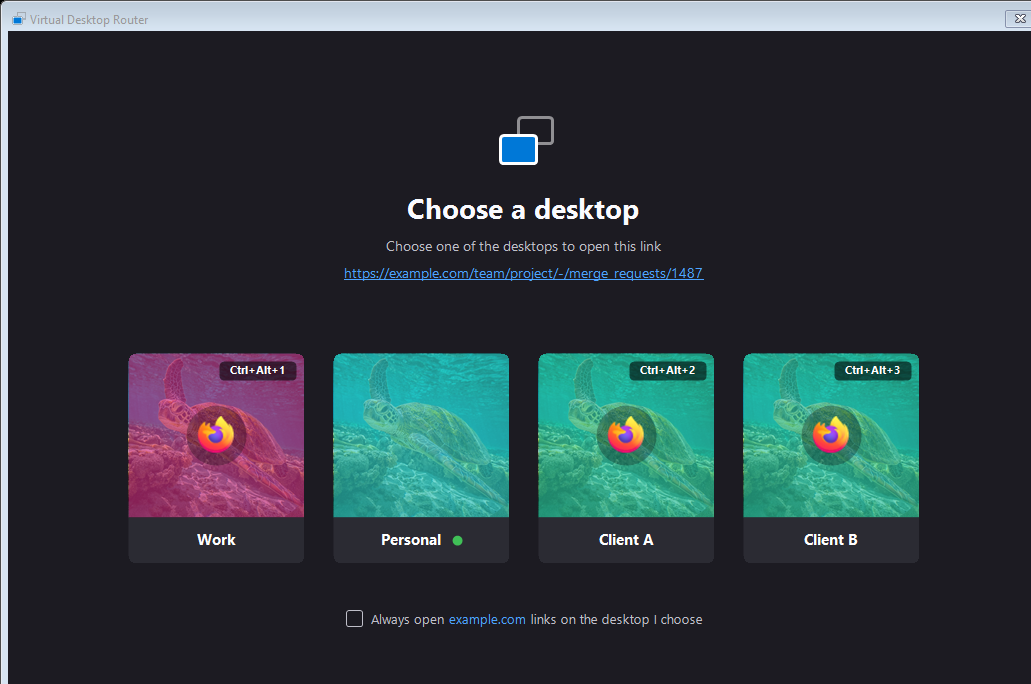
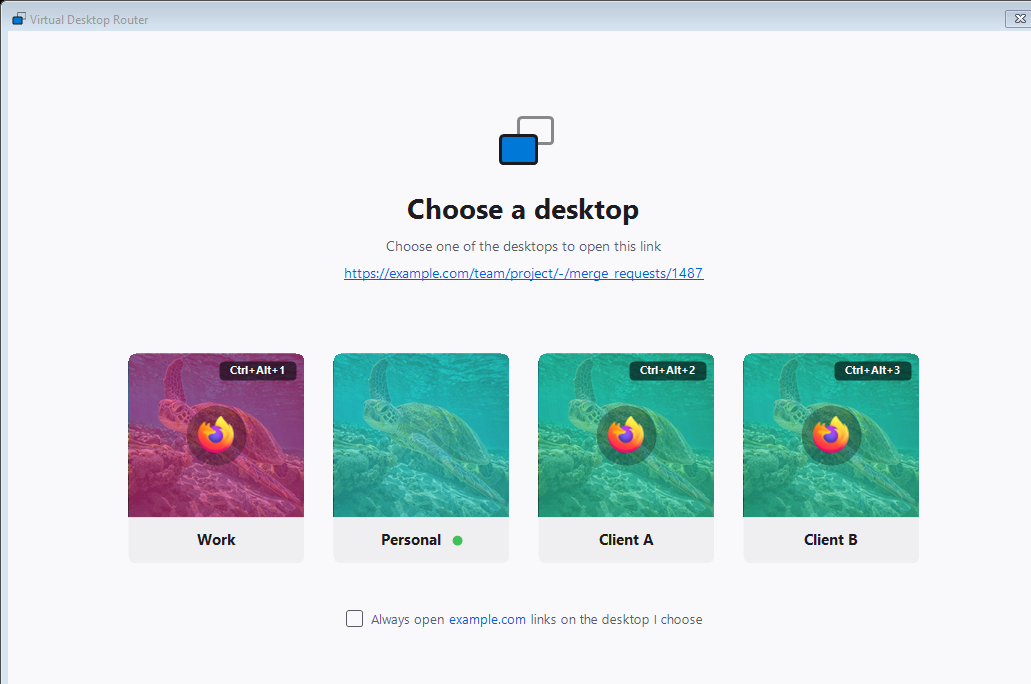
It follows the Windows theme. Here it is in light mode:
Two honest limits. It only routes to what's already open on the desktop; it won't launch a closed profile for you, by design. And routing to an instance that lives on another desktop switches you there. The browser vendors treat that switch as a bug (see the Brave bug report); here it's the point: you asked for that instance, you go to it. The cost is a per-click COM-and-process probe, a fraction of a second, which you notice only because the alternative was instant-and-wrong.
Wiring it into config
On my machines this ships as a toggle in the windows role: windows_virtual_desktops_router: true deploys the script and registers it as a candidate for your app schemes, plus http/https, but only when a workspace actually runs a browser with its own profile flag. With just your default-profile browser there's nothing to route: modern Firefox and Chromium already open a clicked link on the desktop you're on, so the router stays out of the web-link path. The catch is that an isolated profile isn't that default one (external links skip it), so the moment a browser runs with its own --profile or --user-data-dir, the router claims web links too and steers each to the instance on your current desktop. The script itself reads none of that config: the role only decides which schemes to claim and drops the file in place. You still make the one Default-apps selection by hand, because Windows insists.
There's one deliberate exception to "no rules." When the picker does come up and a given site always belongs on one desktop, tick "Always open example.com links on the desktop I choose" and the next link to that host skips straight there. It's opt-in, per host, and still loses to context (your foreground window and current desktop are checked first), so it's a shortcut, not a rulebook you maintain. That one remembered choice per host is the only thing the router stores, alongside its interop cache and log under %LOCALAPPDATA%\dotfilespro.
One directory per identity, one flag per launch: that was already the trick behind running a separate Slack and Firefox per client. This is the last mile: links that respect the same boundary, because the router looks at where you're standing instead of asking you to write it down.